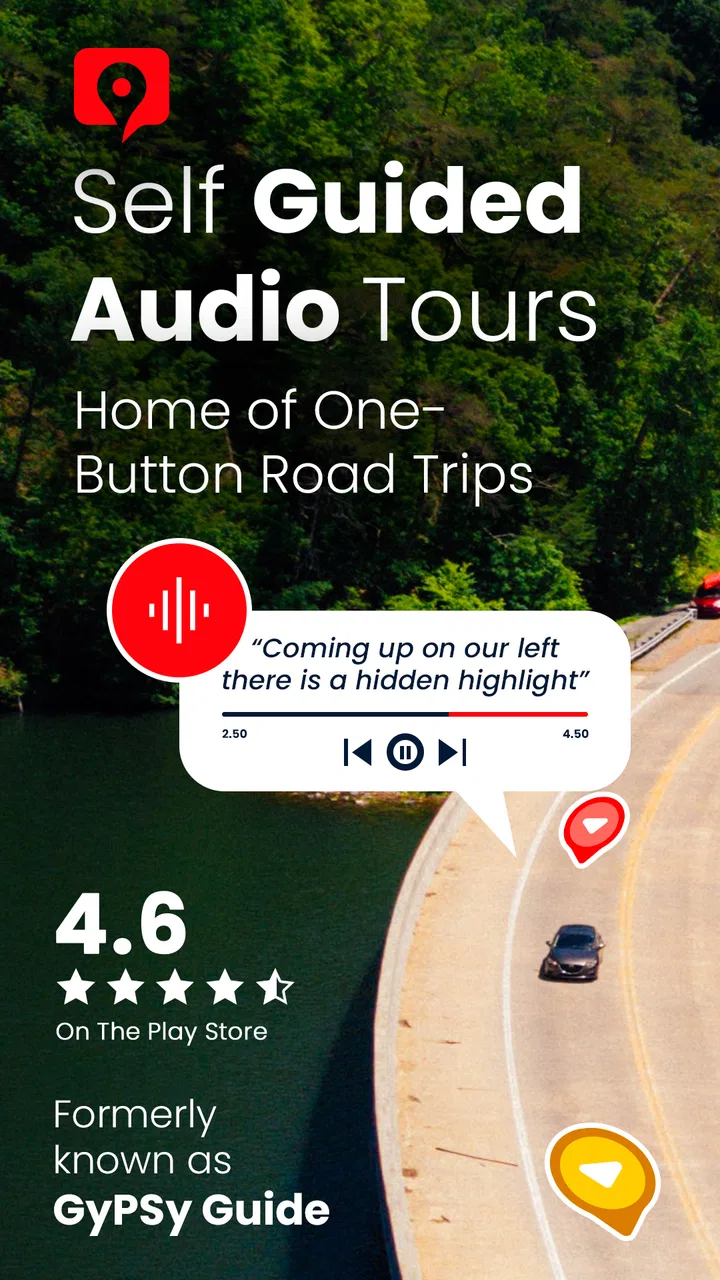
GuideAlong | GPS Audio Tours
- 4.6
- Rating
- 100.00K
- Installs
- Free
- Price

 Analysis by App-foxy
I found GuideAlong | GPS Audio Tours most useful when I treated it as a quiet travel companion rather than a replacement for a human guide. It adds spoken context to a road trip, helping a familiar drive feel more purposeful without forcing me to follow a rigid group schedule. That balance is the app’s central appeal: I can keep my hands on the wheel, look at the scenery, and listen when the route reaches something worth noticing.
GuideAlong is a free Travel & Local app from Gypsy Guide LLC, with optional purchases ranging from $0.99 to $149.99 per item. Its focus is self-guided audio touring for road trips in the United States, Hawaii, and Canada. In my experience, that makes it a better fit for scenic driving than for ordinary city navigation. If I only need the fastest route to a hotel, a standard maps app is still the more direct tool. If I want the drive itself to become part of the holiday, this app has a much stronger reason to be open.
How GuideAlong changes the road-trip experience
I find the most useful next step is to decide what you want your drive to feel like: a quiet transfer between stops, or part of the trip you want to understand as you go. That distinction helps me judge whether route-linked narration will earn a place in the car, and it leads naturally to where this approach stands out compared with more hands-on or reference-heavy options.
You May Also Like

 Blood Strike: 2.5 Anniversary
Blood Strike’s Loadouts Turn Every Drop Into a Tactical Gamble
A close look at Blood Strike’s custom loadouts: how fast access to signature weapons reshapes its battle royale rhythm, rewards preparation, and narrows the gap between fights.

 Pandora - Music & Podcasts
Pandora’s Music Is Easy to Start, but Harder to Recover
Pandora’s strength is its low-effort path from a seed to a station. Its weak spot is how much confidence it asks you to place in connection, setup, and quiet recovery.

 8 Ball Pool
 Is Built on Rivalries, Rematches, and Routine
A close look at the rivalries, rematches, shared routines, and unanswered safety questions that turn a quick pool match into a persistent mobile community.

 Samsung Music
’s Quiet Strength Is Playing What You Already Own
Its reach comes less from spectacle than from dependable access to a personal library. That simplicity is both the app’s strongest retention engine and its ceiling.

 AccuWeather: Weather Radar
AccuWeather Review: A Quick, Clear Forecast for Everyday Decisions
For everyday plans, the best forecast is the one you can understand quickly. AccuWeather makes rain timing, radar, and local conditions easy to act on, with a few trade-offs.

 Hill Climb Racing
Why Hill Climb Racing Still Turns Crashes Into One More Run
A tiny car, a bumpy hill and one more upgrade: Hill Climb Racing keeps resurfacing because its simple chaos makes every near-miss feel personal.
More From Our News Desk



A guide that works around your schedule
The most convincing part of the experience is the way audio can fit around the natural rhythm of a drive. Traditional tours ask me to arrive at a particular time, stay with a group, and move on when the guide says so. GuideAlong’s self-guided approach is more relaxed. I can start a day early, pause for lunch, take a detour, or stop for photographs without losing the entire tour.
That flexibility matters especially on long scenic routes. A road trip rarely goes exactly to plan. Weather changes, children need breaks, a viewpoint is more interesting than expected, or a short walk turns into an hour outside. An audio tour is much less stressful when it supports those interruptions instead of treating them as mistakes.
I also like the difference between passive sightseeing and informed sightseeing. Without commentary, I might recognize a dramatic landscape but know nothing about why it matters. With spoken guidance, the same drive can have more context and structure. The result is not as personal as talking with a local guide, but it is more engaging than relying only on road signs and occasional internet searches.
Why GPS-linked commentary is more useful than a playlist
A normal travel podcast can be interesting, but it usually requires me to manage the timing myself. I have to guess when a story is relevant, remember what I am looking at, and decide when to pause the audio. GuideAlong is built around the route, so its value comes from connecting narration with the places passing outside the window.
That distinction is easy to underestimate before a trip. On a scenic drive, the best information is often useful for only a short stretch. A viewpoint, geological feature, historic stop, or turnoff can pass quickly. Route-aware commentary reduces the mental work of matching a story to the landscape, which is precisely the kind of small convenience that makes an audio guide feel worthwhile.
My practical advice is to treat the app as part of trip preparation, not something to discover for the first time while pulling out of a parking lot. Before leaving, I would review the available tour choices, check the route against my actual itinerary, and decide where I expect to stop. That preparation helps avoid the common mistake of buying or starting a tour that covers only part of the planned drive.
A realistic day on the road
Imagine a couple leaving their hotel after breakfast for a full day on a scenic route. They want to see the major viewpoints, but they do not want to spend the day reading long articles on a phone. One person handles the driving while the other keeps an eye on the route and chooses the stops. The audio fills the quiet stretches with useful background, then the couple pauses it while walking, eating, or taking photographs.
That is where I think GuideAlong makes the most sense. It does not need to dominate the day. The best use is intermittent: listen while driving, stop when something catches your attention, and continue when you are ready. This approach also makes it easier to share the experience with passengers who might otherwise be looking at separate screens.
For families, the audio format can be more practical than passing around a guidebook. For couples, it can reduce the need for one person to act as a constant navigator. For solo travelers, it can provide a sense of company while adding context to an unfamiliar route. None of these benefits removes the need for normal road awareness, but they do make the journey feel less like a sequence of turns.
The strongest reasons to choose it
The app’s strongest quality is its combination of independence and direction. I can make my own decisions, yet I am not left entirely alone with a blank map. That is a valuable middle ground between a scheduled excursion and unstructured driving.
- It turns travel time into part of the attraction instead of treating the drive as dead time between destinations.
- It suits travelers who prefer stopping when something looks interesting rather than following a group timetable.
- It can reduce the temptation to keep searching for information on a phone while moving between stops.
- It works particularly well when several passengers want the same explanation at the same moment.
Another strength is its broad regional purpose. Because the app is aimed at road trips across the United States, Hawaii, and Canada, it is not tied to a single type of vacation. A traveler planning a national-park drive, an island itinerary, or a long Canadian route can approach the app in the same general way: select the relevant experience, prepare before departure, and let the narration accompany the journey.
Where the experience needs realistic expectations
The app is not a substitute for every travel tool. I would not use it as my only source of navigation, road information, emergency guidance, or changing local conditions. Audio commentary can explain what I am seeing, but it does not remove the need to check road closures, weather, fuel, parking, opening hours, and official travel notices.
There is also a difference between a self-guided audio tour and a live guide. A person can answer a question, adapt the explanation to my interests, notice when I am confused, or suggest an unexpected alternative. GuideAlong cannot offer that personal interaction. Its narration is most effective when I want dependable structure without conversation, not when I am looking for a customized cultural exchange.
Another limitation is attention. Even well-timed commentary can become tiring during a very long driving day. I would not try to listen continuously from departure to arrival. The better approach is to use the audio in sections, leaving space for conversation, music, silence, and concentration. A road trip should not feel like an exam in which I must absorb every sentence.
Passengers should also remember that the driver’s safety takes priority over the tour. If a turn, viewpoint, or instruction is unclear, I would ignore the audio temporarily and rely on safe driving decisions. The app can enrich a route, but it should never encourage abrupt maneuvers or distracted checking.
What the cost structure means in practice
The application itself is free to install, which makes it easy to explore before committing to a particular trip. The optional in-app purchases are priced per item, from $0.99 to $149.99. That wide range means I would pay close attention to what each purchase covers before confirming it. A single route may be sensible for a short holiday, while a larger purchase deserves more planning if I am not sure how extensively I will use it.
I would also avoid making a purchase simply because I am already on the road. The best time to compare the available choices is before departure, when I can match the coverage to the route and decide whether the narration will genuinely add value. If most of my day consists of city errands or a direct motorway transfer, a paid tour may not offer enough benefit. If the planned drive includes several scenic stops, the calculation looks much better.
This is one of the app’s more important trade-offs: the free entry point lowers the barrier to trying the service, but the usefulness of the optional content depends heavily on itinerary quality. It is not automatically a bargain for every traveler, and it is not automatically expensive for someone who would otherwise pay for a guided excursion. The right comparison is with the kind of experience I would actually choose, not with a generic navigation app.
Small habits that make the app more effective
My first practical tip is to build listening breaks into the route. If I know I will stop at a viewpoint, I can let the commentary introduce the area before arriving, then pause it while exploring. This prevents the narration from competing with the actual experience and makes the information easier to remember.
My second tip is to keep a flexible itinerary. The app is most enjoyable when I use its guidance as a framework rather than a command list. I might follow the main route in the morning, spend longer than expected at one stop, and shorten the afternoon without feeling that the day has failed. That mindset is particularly useful on trips with children, older relatives, or anyone who dislikes being rushed.
My third tip is to make one passenger the trip’s audio manager. That person can handle pausing, resuming, and checking the next stop while the driver concentrates on the road. On a solo trip, I would set things up before moving and avoid handling the phone while driving. This sounds obvious, but audio tours are only helpful when they reduce distraction rather than create another task.
A fourth useful habit is to compare the tour’s intended route with the route I actually want to drive. A scenic tour may assume a particular direction or sequence. If I approach from the opposite side, skip a section, or add a side trip, the timing and order of the commentary may be less natural. That does not make the app useless, but it changes how carefully I should plan the day.
Who will enjoy it most
I would recommend GuideAlong first to travelers who enjoy scenic driving but do not want the formality of a group tour. It is especially appealing to people who like learning small pieces of local context while keeping control over their schedule. Couples, families, and friends sharing one vehicle can all benefit because everyone hears the same guide without needing to read at the same time.
It is also a strong option for visitors who are comfortable planning the basics themselves. The app can add interpretation and structure, but I still need to organize accommodation, fuel, food, parking, weather checks, and realistic driving times. Someone who wants a complete concierge-style itinerary may find the experience too hands-off.
Travelers with limited mobility may appreciate the ability to hear information from the vehicle before deciding whether a stop is worth leaving it for. That does not guarantee that every location will be accessible, so individual planning remains important. Still, the ability to preview a place through narration can help make stop decisions more informed.
I would be more cautious about recommending it to someone whose trip is mostly urban. In a dense city, walking tours, transit directions, museum guides, or a local guide may provide more relevant detail. The app’s real advantage appears when the road itself connects the sights and the distance between them is part of the experience.
How it compares with the usual alternatives
Compared with a standard maps application, GuideAlong offers more atmosphere and interpretation, but less emphasis on basic navigation. Maps are better for live traffic, addresses, alternate routes, and last-minute changes. I would use both categories together when necessary rather than expecting one to replace the other.
Compared with a downloadable travel guide or printed book, the audio format is easier to consume while driving and does not require me to stop and read. A book may still be better for deep research, trip planning, historical detail, or browsing several destinations before choosing one. GuideAlong wins when timing and convenience matter more than reference depth.
Compared with a podcast, it is more closely tied to the journey. A podcast can offer richer storytelling or a broader conversation, but it may not tell me what I am looking at right now. GuideAlong is the more practical choice when location matters more than long-form entertainment.
Compared with a live tour, it is more private, flexible, and usually easier to fit around personal plans. The live option remains better for questions, spontaneous recommendations, and a strong human connection. My choice would depend on whether I value independence or interaction more on that particular trip.
Compatibility and overall polish
The app supports devices running Android 9 or newer, and the current version is 2.3.4.4234. That is useful to know before a trip, especially if I am relying on an older phone kept as a travel backup. I would check compatibility early rather than waiting until the departure morning, when changing devices or updating software is inconvenient.
Its age rating is Everyone, which fits the general nature of a travel companion intended for shared use. The developer, Gypsy Guide LLC, has built the product around a clear idea rather than trying to turn it into a general-purpose travel super-app. I appreciate that focus because the value is easy to understand: choose a suitable road-trip experience and let audio add context along the way.
The app has an average rating of 4.6 from around 1,500 ratings, with roughly 1,100 written reviews, and it has passed 100,000 installs. Those figures suggest that the concept has found a meaningful audience, although I would still judge it against my own route rather than popularity alone. A highly rated audio tour cannot help much if my itinerary does not match its coverage or if I prefer silent, spontaneous driving.
My final recommendation
GuideAlong | GPS Audio Tours succeeds because it solves a specific travel problem: how to make a self-directed road trip feel informed without turning it into a scheduled excursion. I like the independence, the shared listening experience, and the way the commentary can make ordinary stretches of road feel connected to the destination.
Its weaknesses are equally clear. It does not replace navigation, official road information, or human conversation. Long listening sessions can become tiring, and the optional purchase model means I need to choose content carefully. Travelers who want a city guide, a live expert, or a complete itinerary may be better served elsewhere.
For a scenic journey through the United States, Hawaii, or Canada, I would recommend giving it a serious look before leaving home. Plan the route, match the purchase to the actual drive, assign audio duties to a passenger when possible, and use the narration in comfortable sections. My verdict is positive for independent road trippers: it adds meaning to the miles without taking control away from the person behind the wheel.
FAQs for GuideAlong | GPS Audio Tours
01What is GuideAlong and how does it work?
GuideAlong is a GPS-based audio tour app designed to enhance your travel experiences. It provides narrated tours for various destinations, offering insights and stories as you drive or walk. Simply download the desired tour, and the app uses your GPS location to play relevant audio clips automatically as you reach specific points of interest.
02Do I need an internet connection to use GuideAlong?
No, you don't need an internet connection while using the tours. Once you've downloaded the tour to your device, all the audio content and maps are available offline. This makes it perfect for remote areas where cellular service may be unreliable or unavailable.
03On which devices can I use GuideAlong?
GuideAlong is available for both Android and iOS devices. You can download it from the Google Play Store or the Apple App Store. The app is compatible with most smartphones and tablets, ensuring a wide range of users can enjoy its features seamlessly.
04Are there any additional costs after downloading the app?
While the app itself is free to download, individual tours usually require a purchase. However, GuideAlong often offers bundles or discounts, so you can explore multiple destinations at a reduced price. It's best to check within the app for current pricing and offers.
05Can I share my purchased tours with family or friends?
GuideAlong tours are linked to your account and are not transferable to other accounts. However, you can use the app on multiple devices by logging into your account. This allows you to share the experience with family members or friends traveling with you, as long as they use your account.
Pros
- Offers immersive
- location-based audio tours.
- Easy to use with intuitive navigation.
- Works offline – no data needed.
- Covers a wide range of destinations.
- Enriches travel with historical insights.
Cons
- Limited free content availability.
- Not all destinations are covered.
- Battery consumption can be high.
- Audio quality varies by location.
- Requires GPS for full functionality.

GuideAlong | GPS Audio Tours
Gallery